
Destek merkezi
Cihazınızı birkaç dakikada Beebird'e ekleyin.
Uygulamayı indirin, cihazınızı telefonunuza ekleyin, e-Nabız'a bağlayın ve garantinizi yönetin. Adım adım videolu rehberler burada.
- Download the Beebird Home appFor iPhone and Android
- How do I add my device to my phone?Add Device in Beebird Home
- Add your device to e-NabızHave your measurements reflected in your e-Nabız profile
- Digital warranty registrationHow to add a digital warranty
Download the Beebird Home appFor iPhone and Android Başlangıç
Download the app from the store compatible with your device. iOS 13.0 or later is required for iPhone, and Android 8.0 or later for Android; your phone must have Bluetooth 4.0 or later.
How do I add my device to my phone?Add Device in Beebird Home Cihaz kurulumu
- Open the Beebird Home app and log in to your account.
- On the home screen, tap Add Device and select your device.
- Make sure your phone's Bluetooth and location services are turned on.
- Pair the device and take your first measurement.
Creating an account (iPhone)With Google, Apple, or email Başlangıç
After installing the app, you can create your account with Google, Apple, or email.
Creating an account (Android)With Google or email Başlangıç
After installing the app, you can create your account using Google or your email.
App permissions: Bluetooth and locationRequired to transfer the measurements to the application Başlangıç
Two permissions are required for your measurements to be registered in the app:
- Bluetooth: Your phone's Bluetooth must be turned on, and you must have granted Bluetooth access permission to Beebird Home. Our devices communicate with the app via Bluetooth.
- Location: Your phone's location must be turned on, and location access permission must be granted to the app. This is a requirement imposed by your phone's operating system for Bluetooth connections; it is solely for finding and connecting to your device. Your location data is not recorded, tracked, or shared.
 Beebird TMB-2284-B Blood Pressure Monitor SetupAdding to Phone and Accurate Measurement
Cihaz kurulumu

Important considerations:
- Do not cross your legs during the measurement; sit upright and rest your arm on a flat surface at heart level.
- Do not talk or move, and remain relaxed.
- The cuff should be in direct contact with the skin and placed at heart level, snug but comfortable.
- Rest for at least 5 minutes before the measurement; stress, fatigue, or recent physical activity may affect the measurement.
- Your phone's Bluetooth and location services must be turned on, and the necessary permissions must be granted to the Beebird Home app.
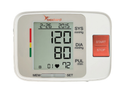 Beebird Accurect U86E Blood Pressure Monitor SetupAdding to Phone and Accurate Measurement
Cihaz kurulumu
Important considerations:
- Do not cross your legs during the measurement; sit upright and rest your arm on a flat surface at heart level.
- Do not talk or move, and remain relaxed.
- The cuff should be in direct contact with the skin and placed at heart level, snug but comfortable.
- Rest for at least 5 minutes before the measurement; stress, fatigue, or recent physical activity may affect the measurement.
- Your phone's Bluetooth and location services must be turned on, and the necessary permissions must be granted to the Beebird Home app.
 Beebird Accurect GLM-79 Blood Glucose Meter SetupAdding to Phone and Accurate Measurement
Cihaz kurulumu

Important considerations:
- If test strips are exposed to air for an extended period, they may absorb moisture and lead to inaccurate results; remove them from the container just before use.
- An insufficient blood sample may affect the result. Wipe away the first drop of blood, obtain a new drop, and measure immediately.
- If there are large differences between measurements, repeat the process and measure with several different strips.
- Your phone's Bluetooth and location services must be turned on, and the necessary permissions must be granted to the Beebird Home app.
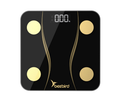 Beebird Scaleist BS-02 Smart Body Scale SetupAdding to Phone and Accurate Measurement
Cihaz kurulumu
Important considerations:
- Surface: Place the scale on a flat, hard surface. Carpets, rugs, or soft surfaces prevent accurate measurements.
- Foot contact: Step onto the scale barefoot. Your feet should not be damp (measurements may differ after showering), and they must make direct contact with the metal sensors.
- Bluetooth and location: Location services must be enabled on Android; grant the app the necessary permissions.
- Daily consistency: Take measurements at the same time every day, preferably on an empty stomach and under similar conditions.
 Beebird Scaleist KS-01 Smart Kitchen Scale SetupAdding to Phone and Accurate Measurement
Cihaz kurulumu

Important considerations:
- Place the scale on a flat surface and turn it on while empty.
- Zero the scale (tare) before placing the food on it.
- Your phone's Bluetooth and location services must be turned on, and the necessary permissions must be granted to the Beebird Home app.
Add your device to e-NabızHave your measurements reflected in your e-Nabız profile e-Nabız ve entegrasyon
Our blood pressure monitor, glucose meter, and smart scale products are integrated with e-Nabız. Steps:
- First, add your device to the Beebird Home app. Your phone's Bluetooth and location services must be turned on, and the necessary permissions must be granted to the app.
- On the e-Nabız website, follow the steps Settings → Add Mobile Device → Confirm Device to add the device as "Beebird".
- In the Beebird Home app, select Menu → My Health Data → e-Nabız, enter your Turkish Republic ID number, and grant the necessary permissions.
- When taking a measurement, the app must be open, the device screen active, and Bluetooth and location services turned on.
Your measurements will be reflected in your e-Nabız profile within 24 hours at the latest. Your measurements will not be transferred to e-Nabız until all steps are completed.
Digital warranty registrationHow to add a digital warranty Garanti
We trust our product quality and back this confidence with a 2-year warranty. We have completed our electronic warranty integration to make the process easier.
- Reduces paper waste.
- Eliminates the risk of losing your documents.
- The process is entirely digital, saving time.
- Provides a transparent, fast, and secure experience.
Why doesn't the app always see my device?Bluetooth Low Energy (BLE) operating principle Sık sorulanlar
Beebird devices use Bluetooth Low Energy (BLE) to conserve battery life. The device is only active and transmits a signal when taking a measurement.
- If the device is not taking a measurement, the app cannot detect it.
- When a measurement begins, the device automatically connects to the app and transmits the data.
Which phones does the app work on?iOS and Android compatibility Sık sorulanlar
Beebird Home is compatible with devices running iOS 13.0 and later and Android 8.0 and later. Your phone must support Bluetooth 4.0 or later, and location services and an internet connection must be enabled. Performance issues may occur on older phones.
How can I share my data?e-Nabız and PDF Sık sorulanlar
- If you transfer your data to e-Nabız, your doctor can view this data with your permission.
- You can download your measurement history as a PDF from the app and share it with anyone you choose.